
Můj Felbiánek

Attendance · Lunches · Payments · Messages

Kindergarten and school.
One app.

Můj Felbiánek connects parents and teachers. Absence notes, lunches, payments, messages and announcements — whether your child goes to kindergarten or to school. On the web and on your phone.

GET IT ON Google Play Download on the App Store Coming soon

The Android app is available now; the iPhone version is on its way.

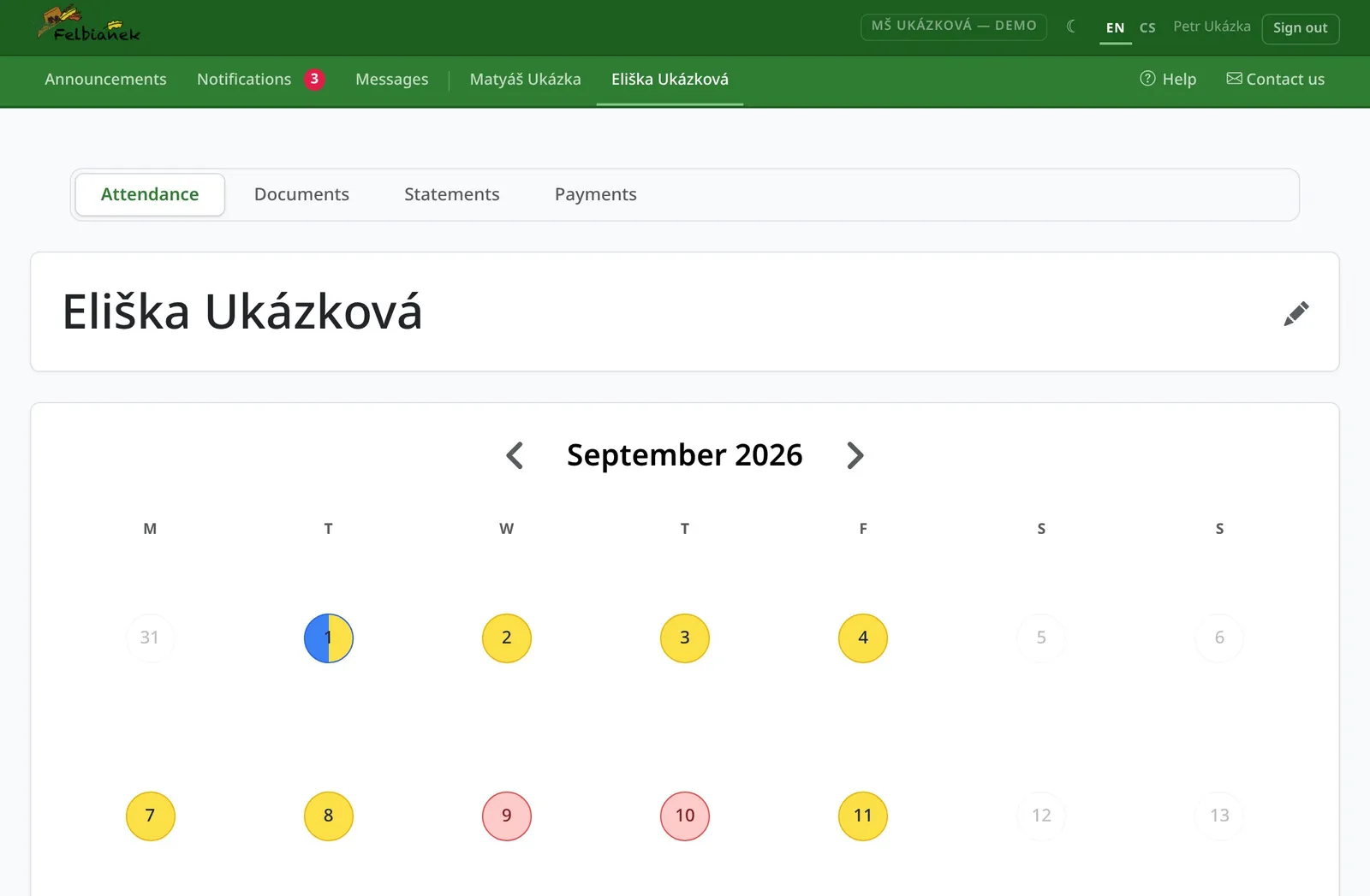
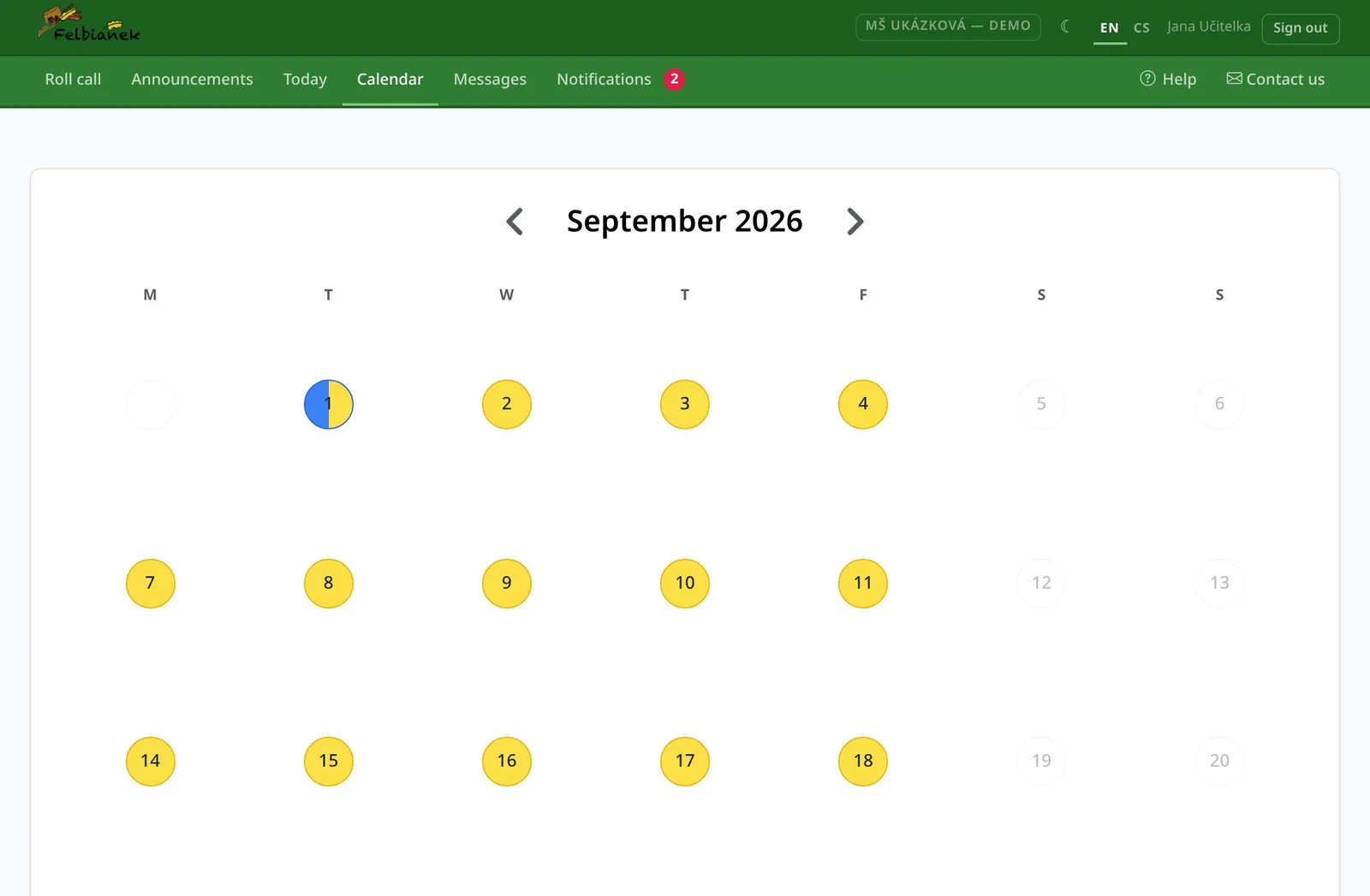
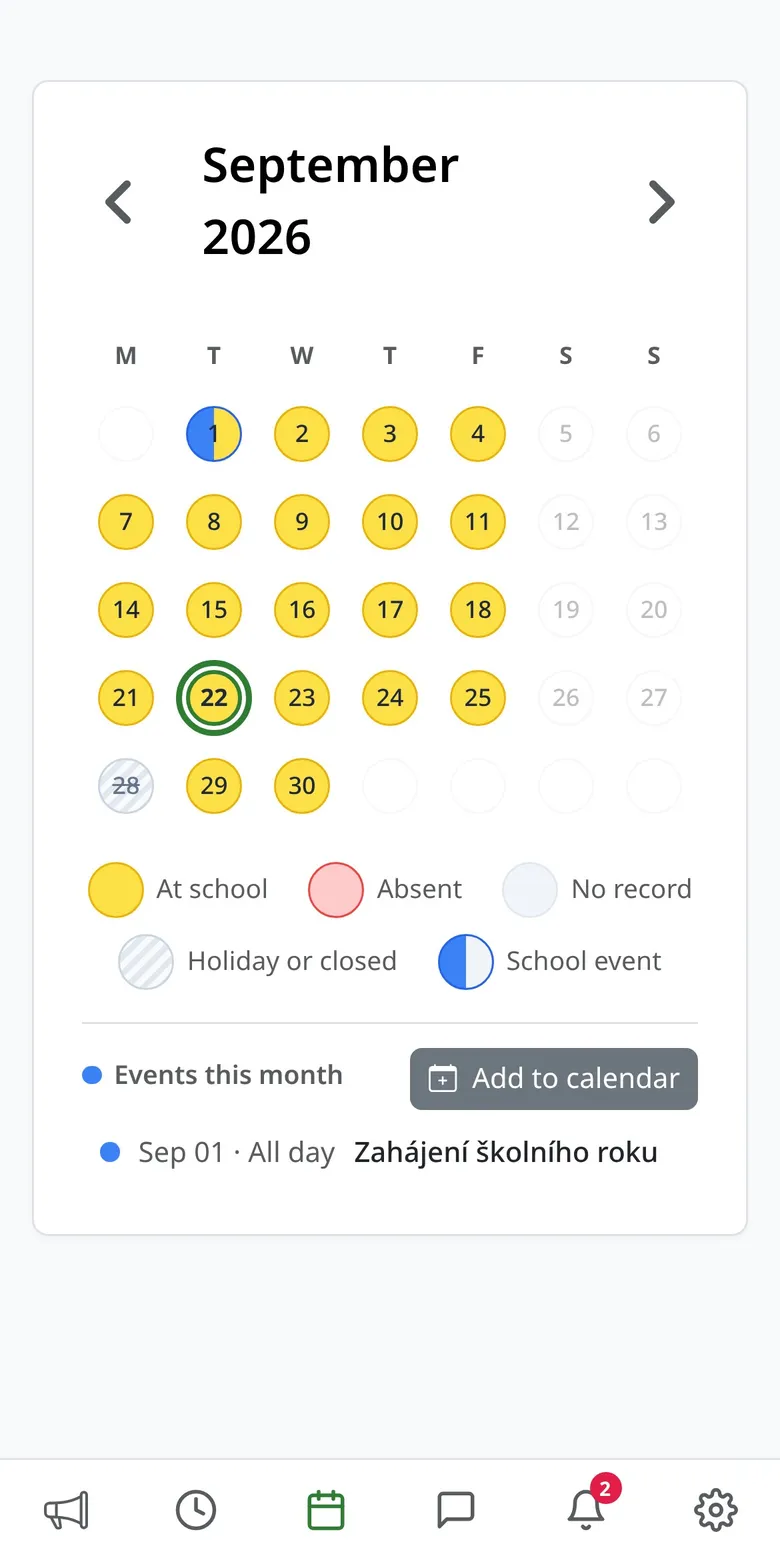
A child's calendar with colour-coded days
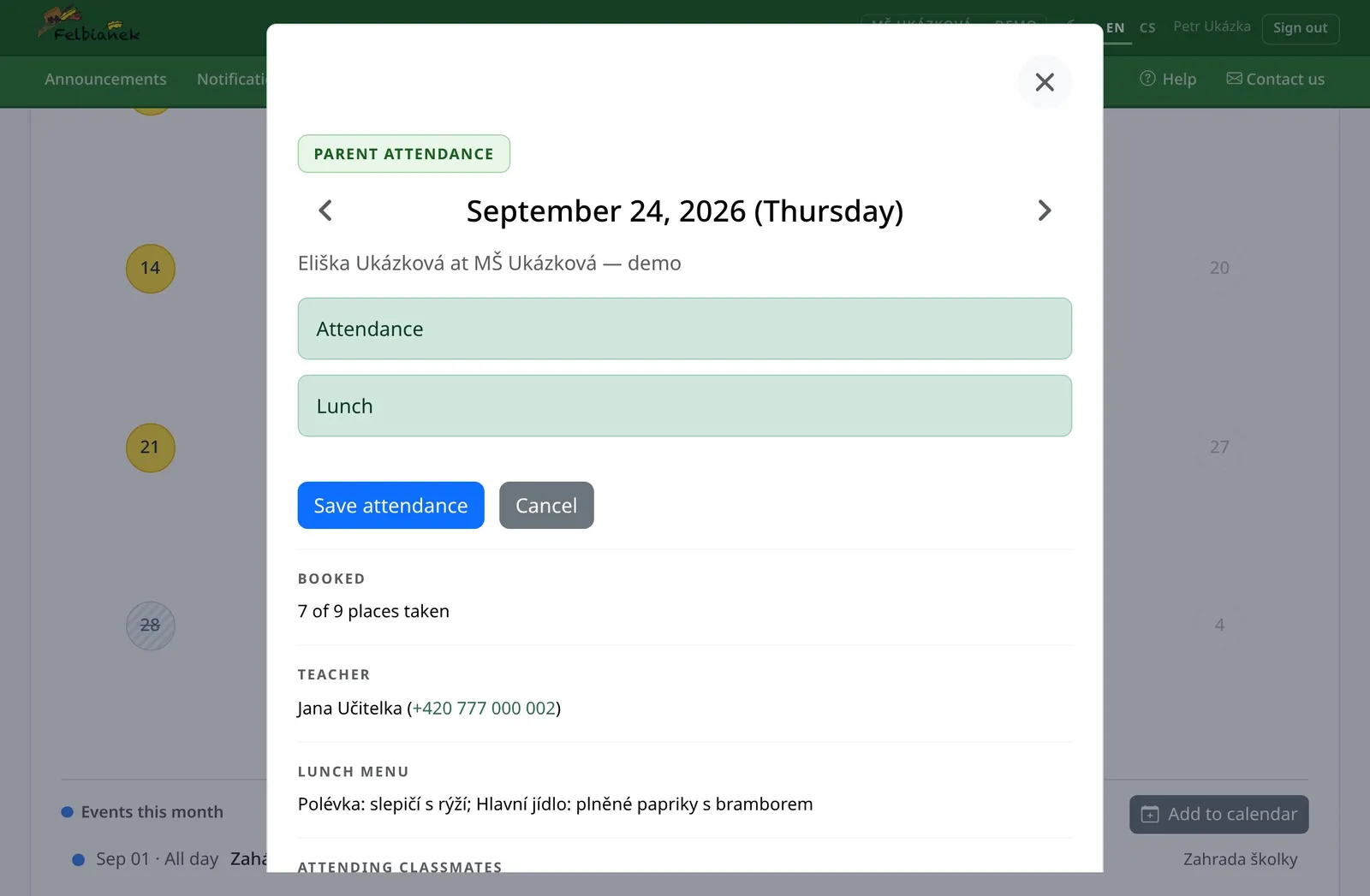
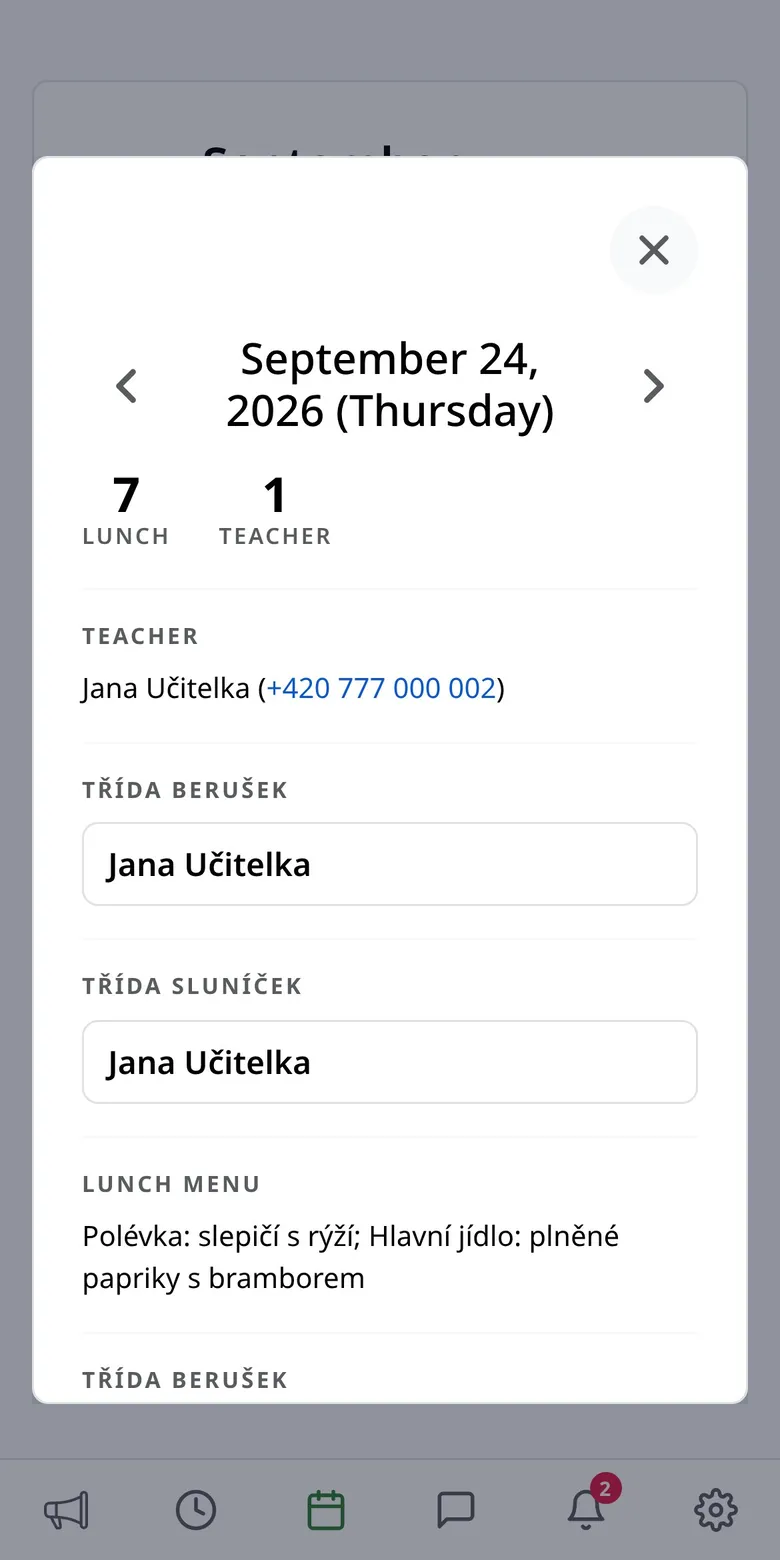
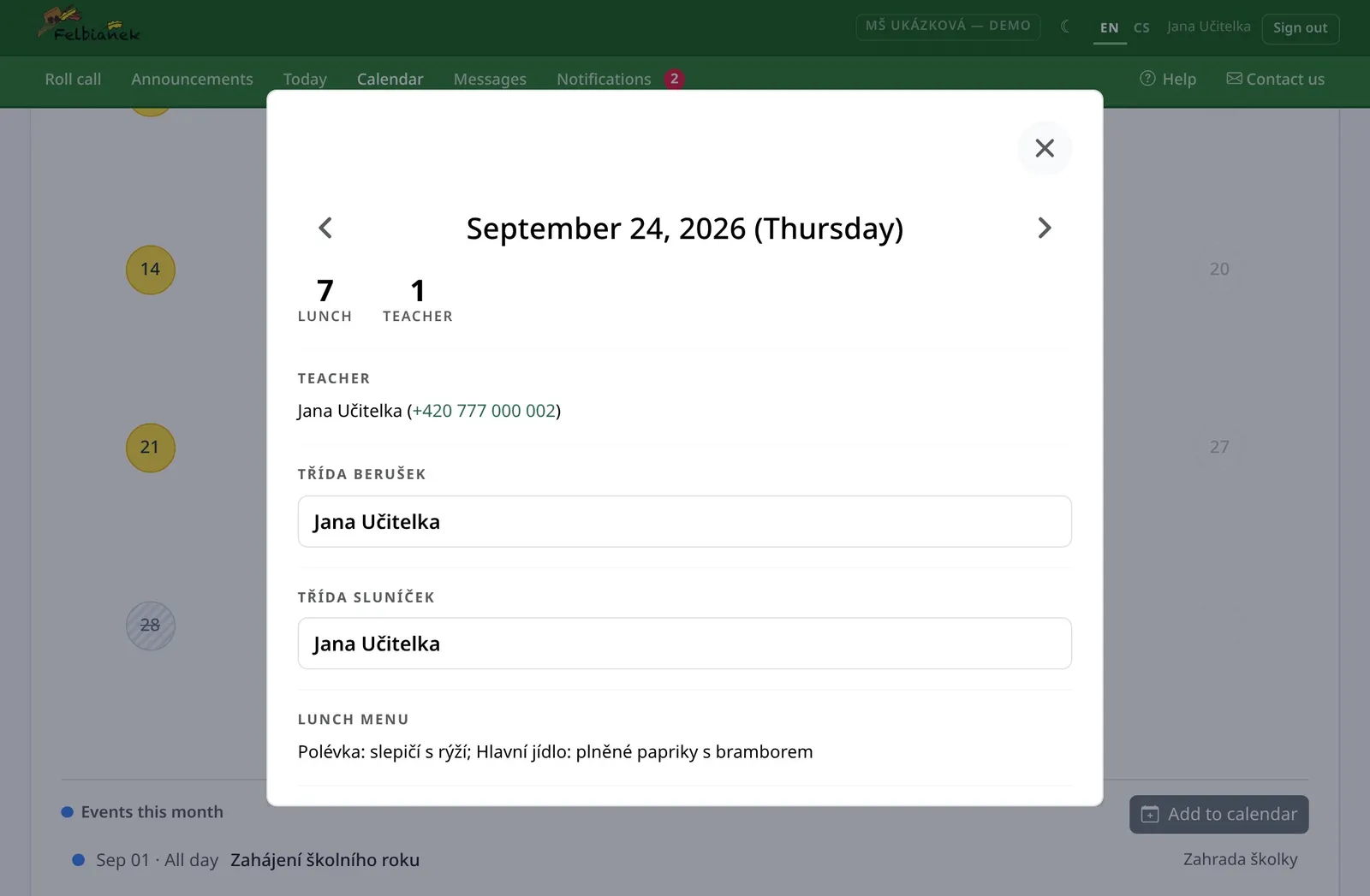
Day detail: attendance, lunch, capacity and menu
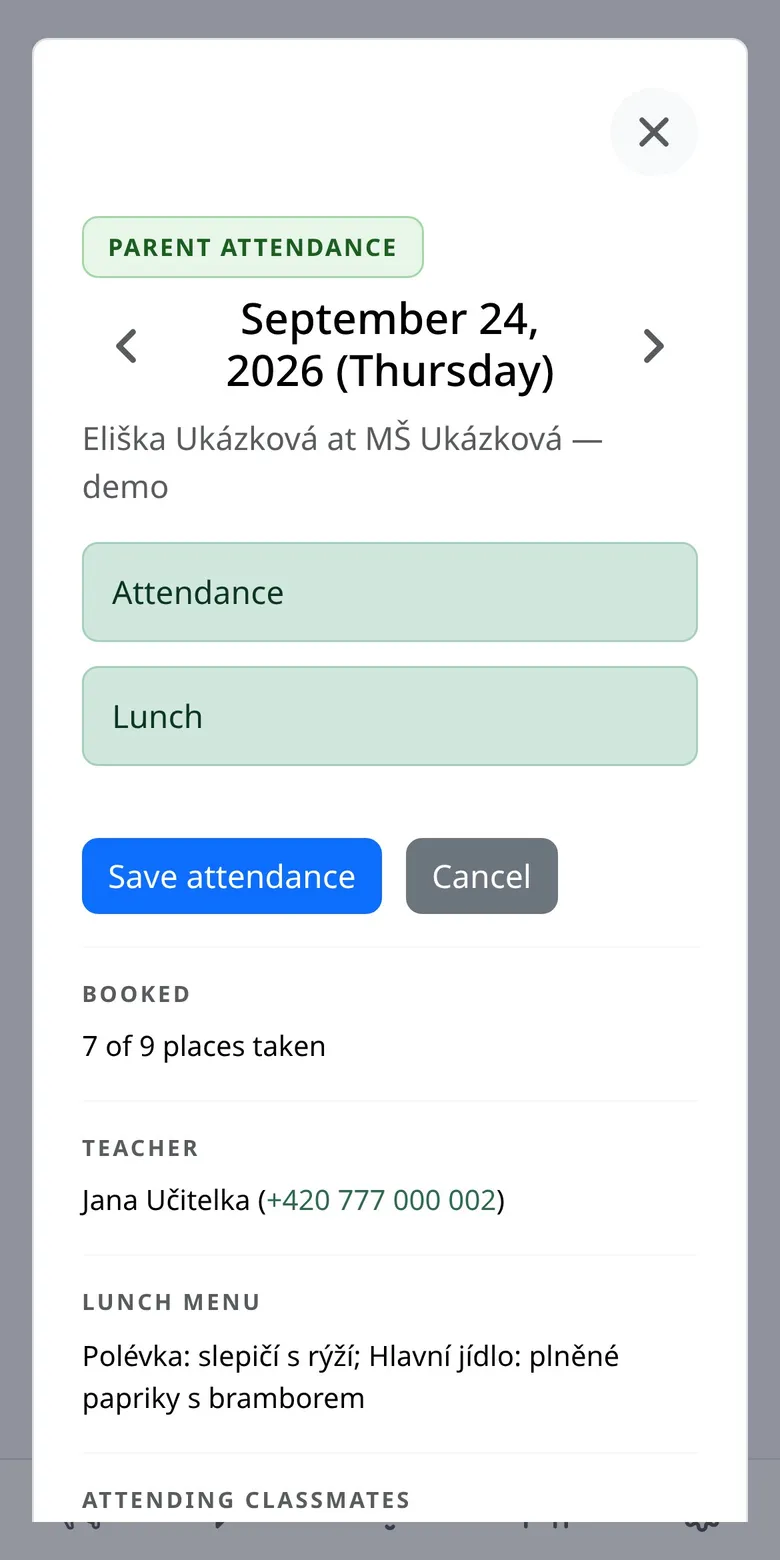
2 taps and your child is excused, lunch included
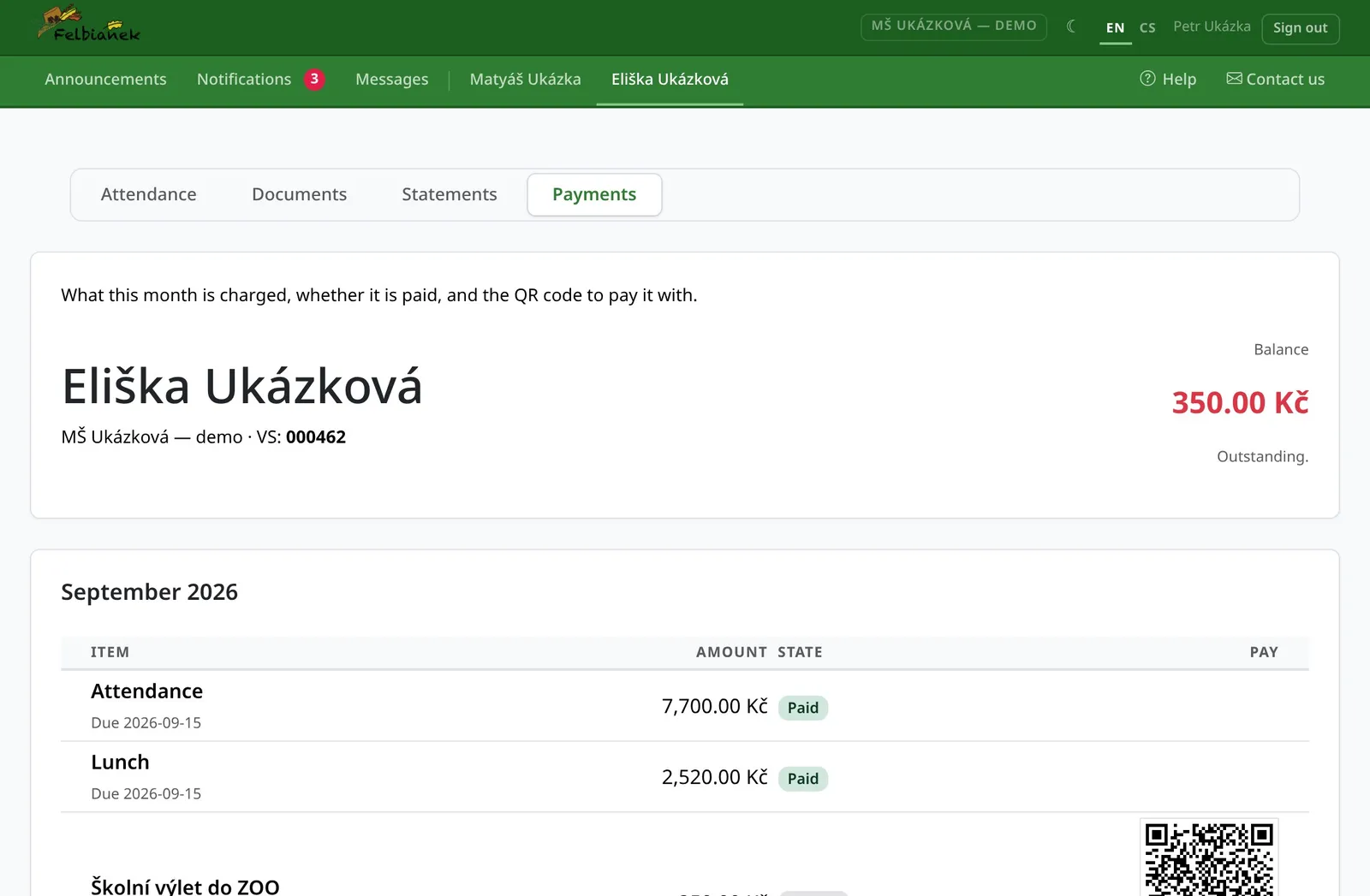
QR payment no account numbers to copy
14 allergens tracked per child, as the kitchen knows them
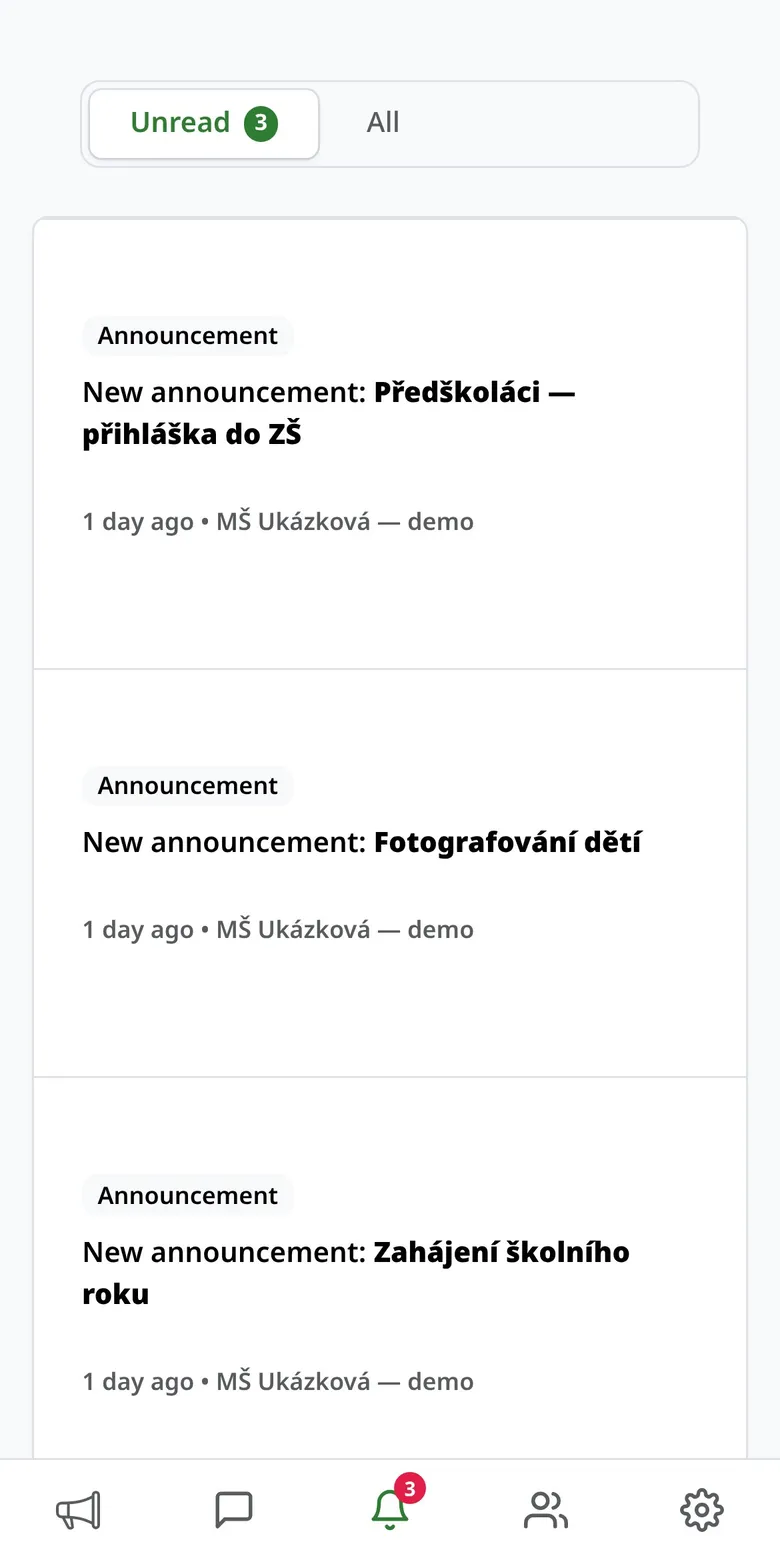
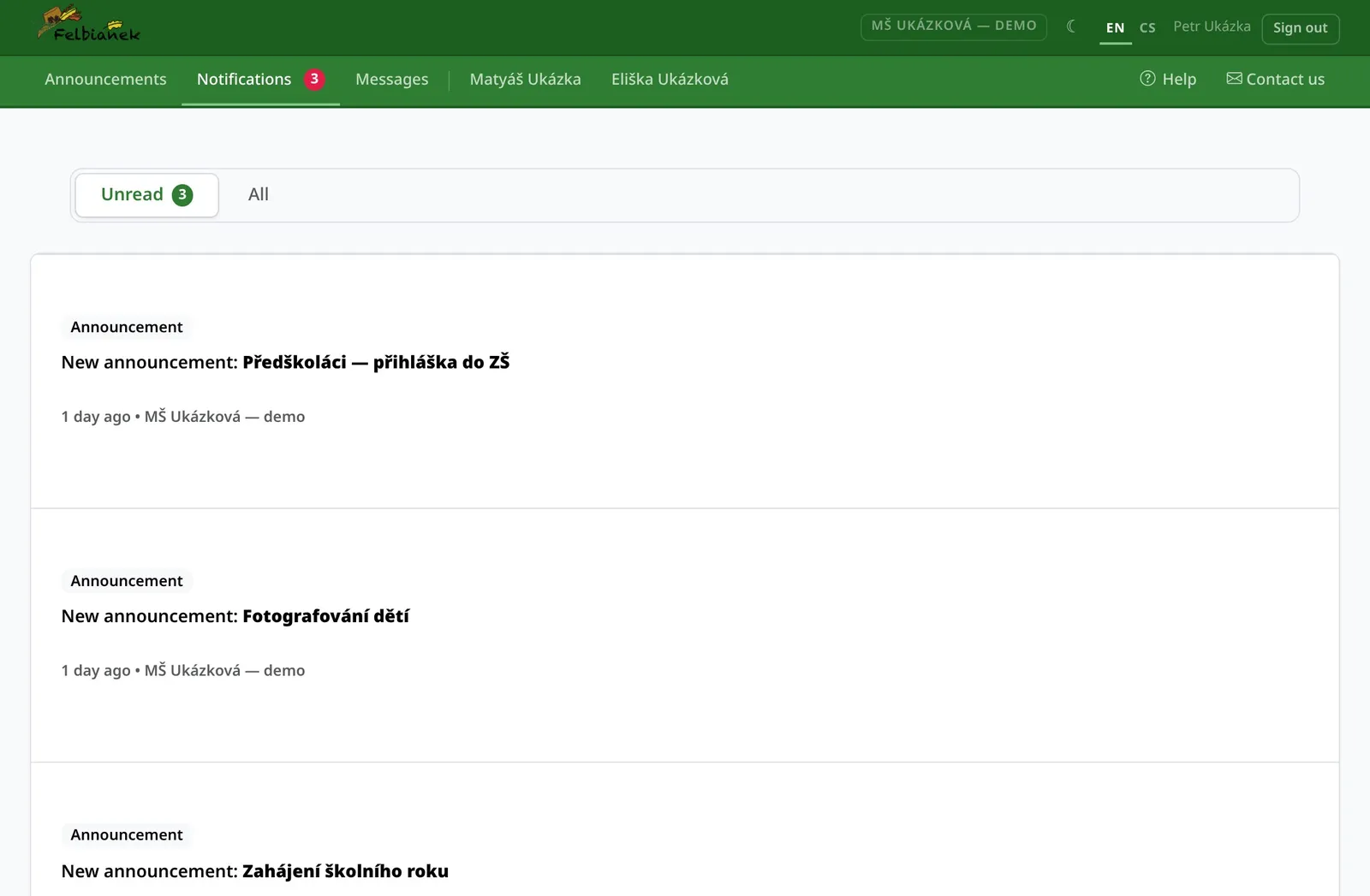
Notifications on your phone when something matters

For parents

Fewer phone calls and paper slips. More peace of mind.

Everything a parent needs to sort out with the kindergarten or the school, done from the sofa or on the way home.

01

Your child's whole month at a glance

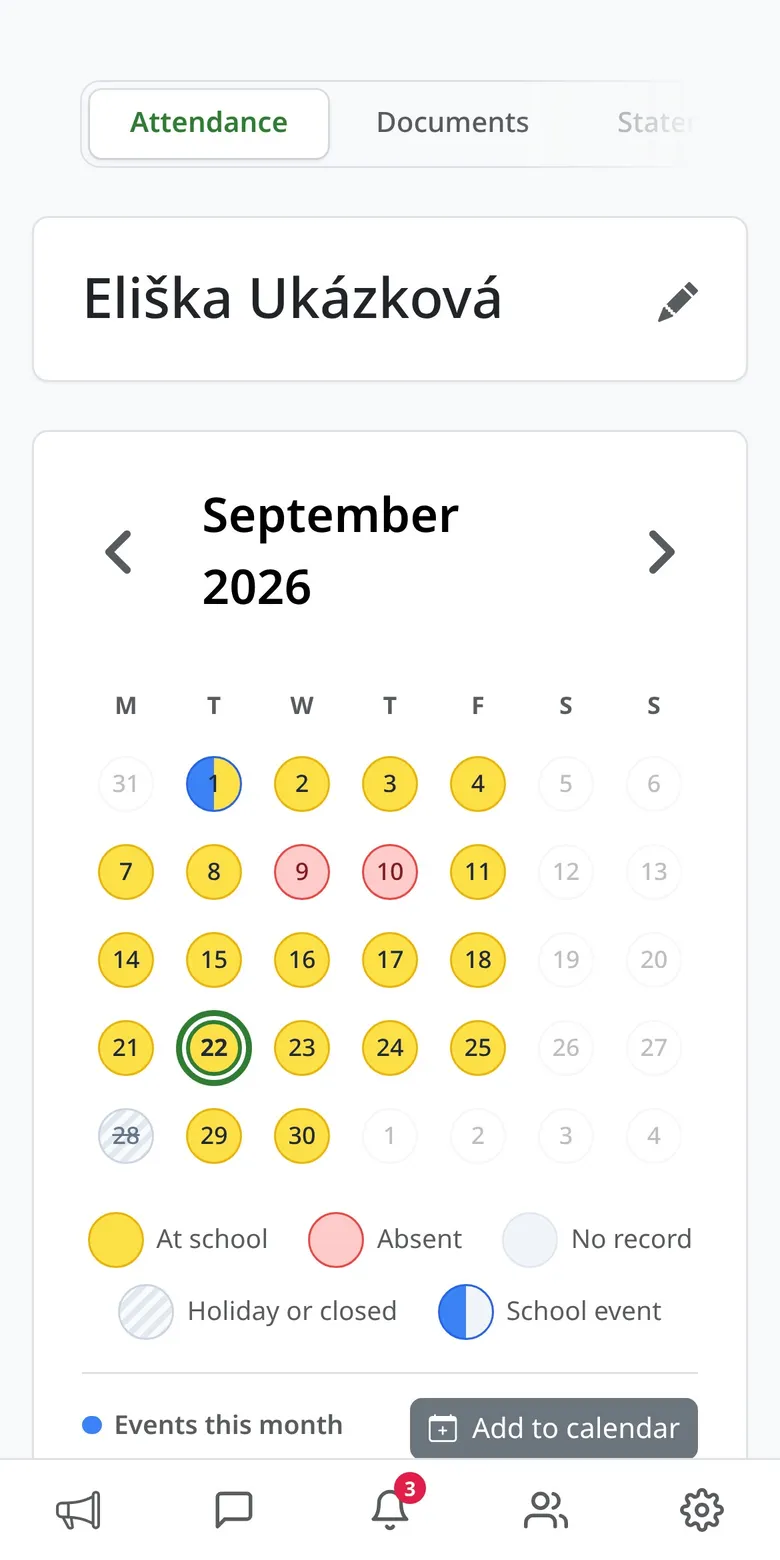
A colour-coded calendar shows when your child is coming, when they're away, when it's closed and what's coming up.

  • Attendance, excused days, public holidays and school breaks
  • School events — straight into your Google or Apple calendar
  • Siblings under one account
A child's calendar with colour-coded days
02

Absence notes and lunches in a few taps

Tap a day, untick attendance or lunch and pick a reason. Done — the teachers and the kitchen know straight away.

  • Changes allowed until the cut-off your kindergarten or school sets — usually noon the day before
  • Each day shows how full it is, the menu and who's on duty
  • Day fully booked? Watch it and get notified when a place opens up
Day detail: attendance, lunch, capacity and menu
03

Payments without copying numbers

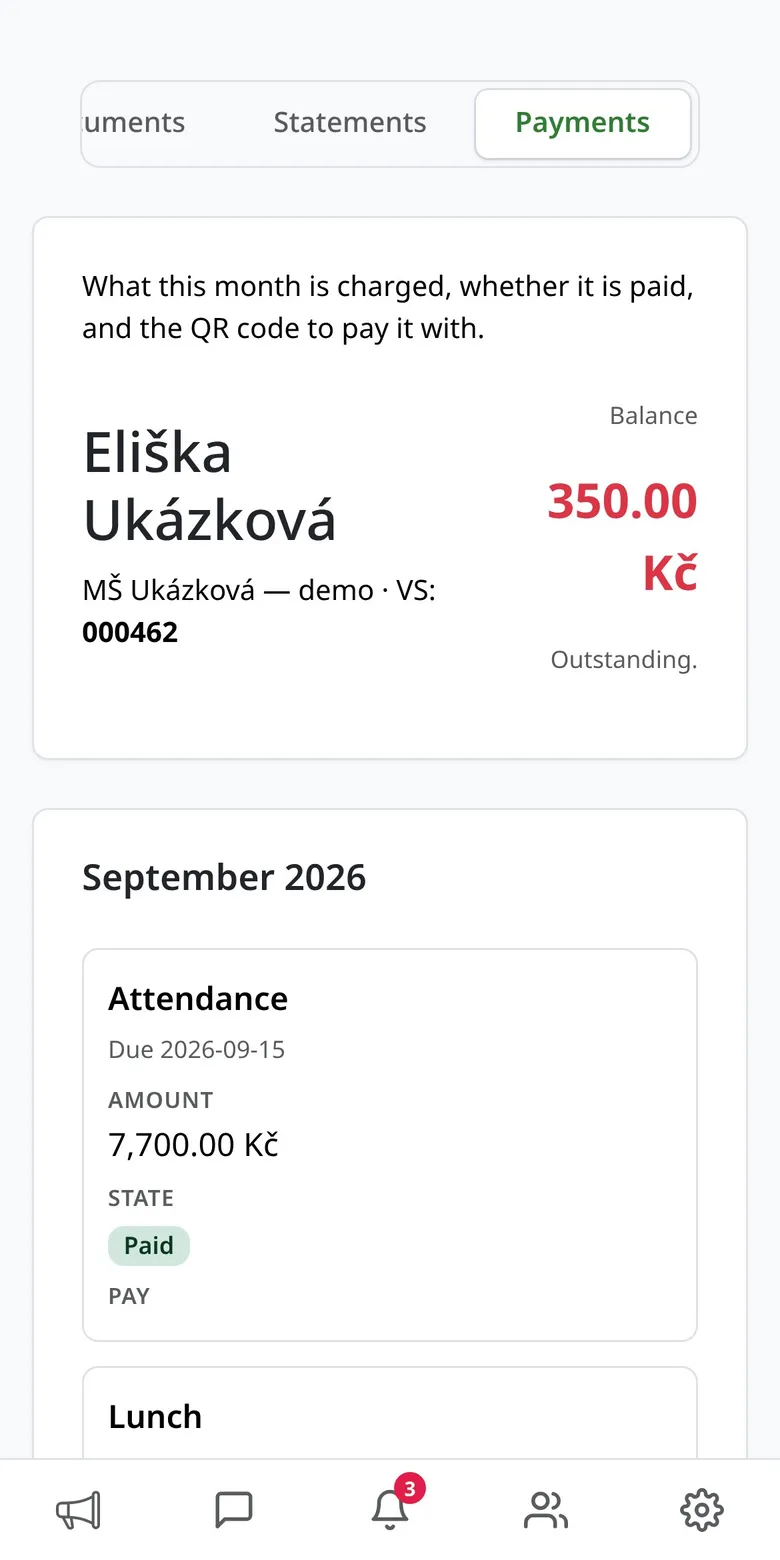
What's due this month, what's already paid, and a QR code you simply scan in your banking app.

  • QR payment for the whole month or a single item
  • Variable symbol and due date always at hand
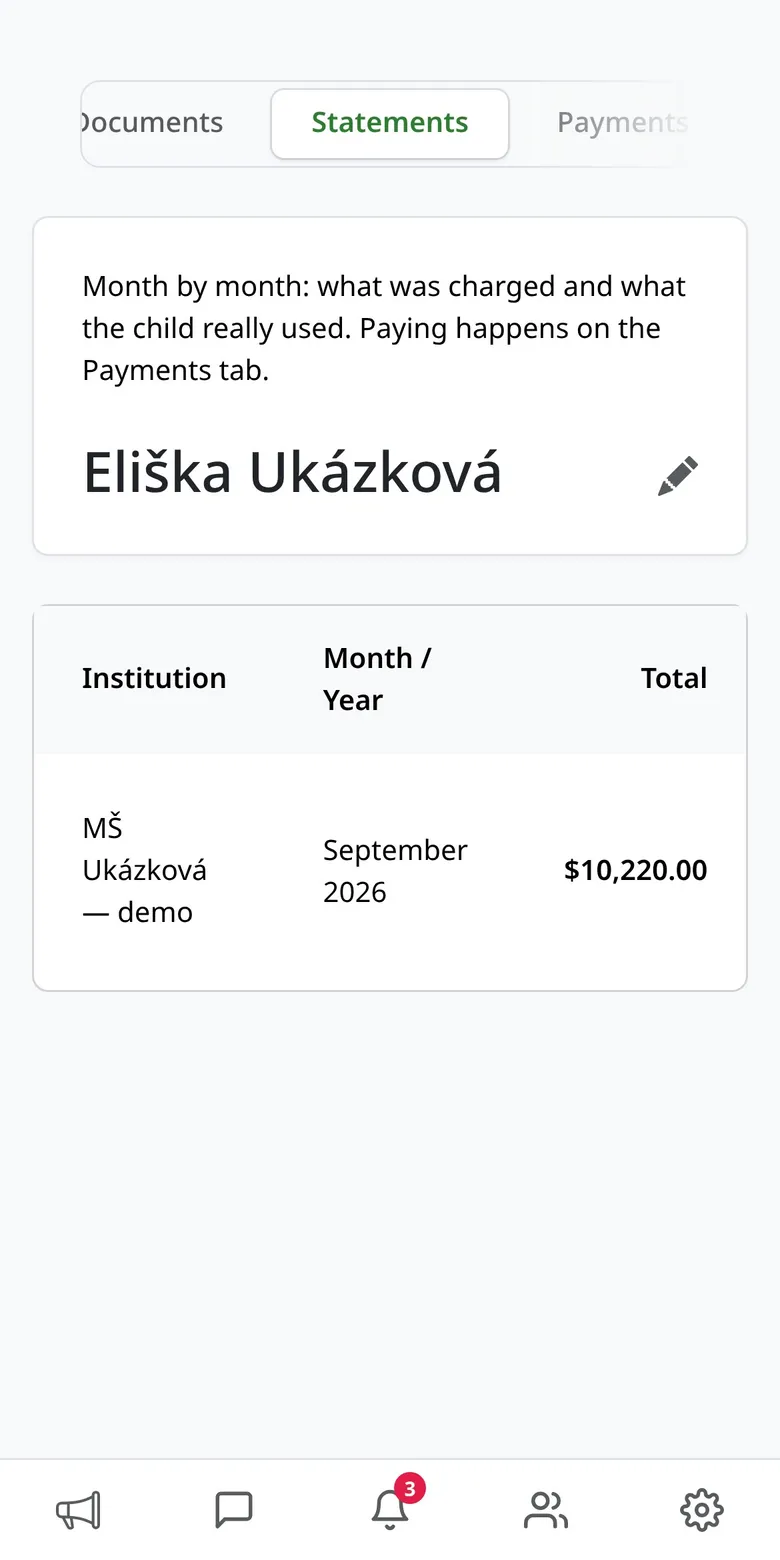
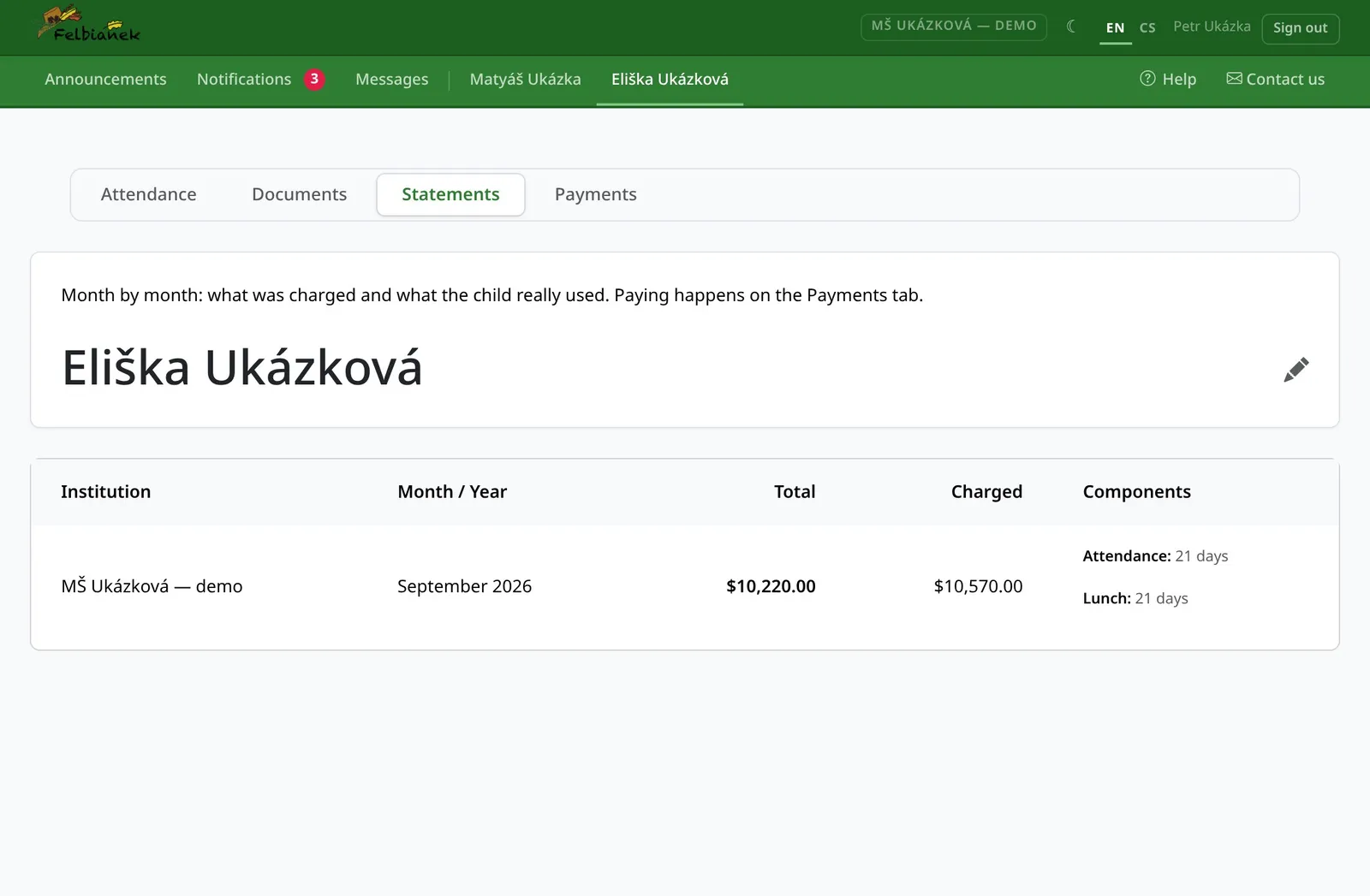
  • Monthly statements and the annual settlement as PDF
This month's payments with a QR code
04

Diet and allergies the kitchen actually knows

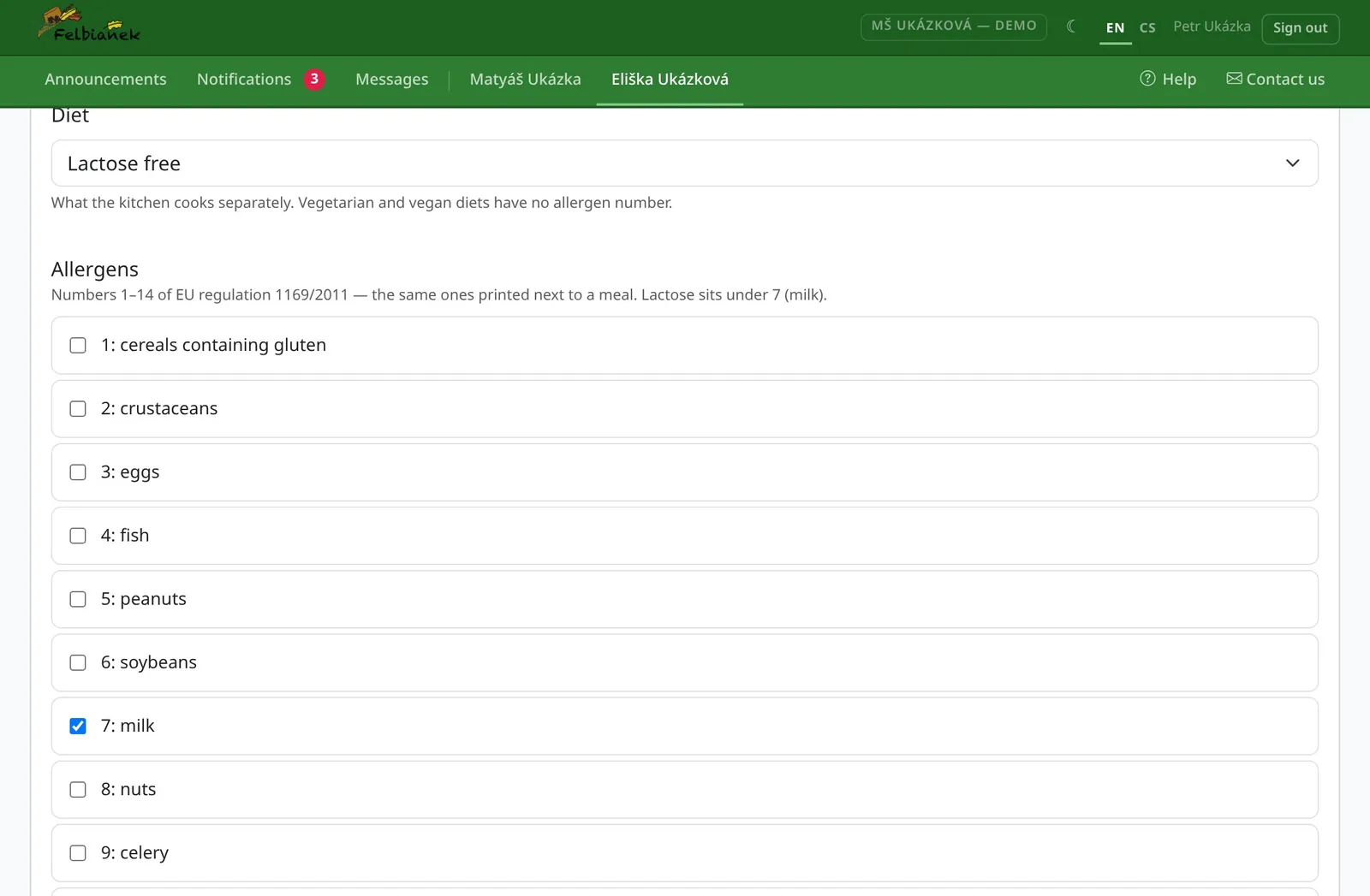
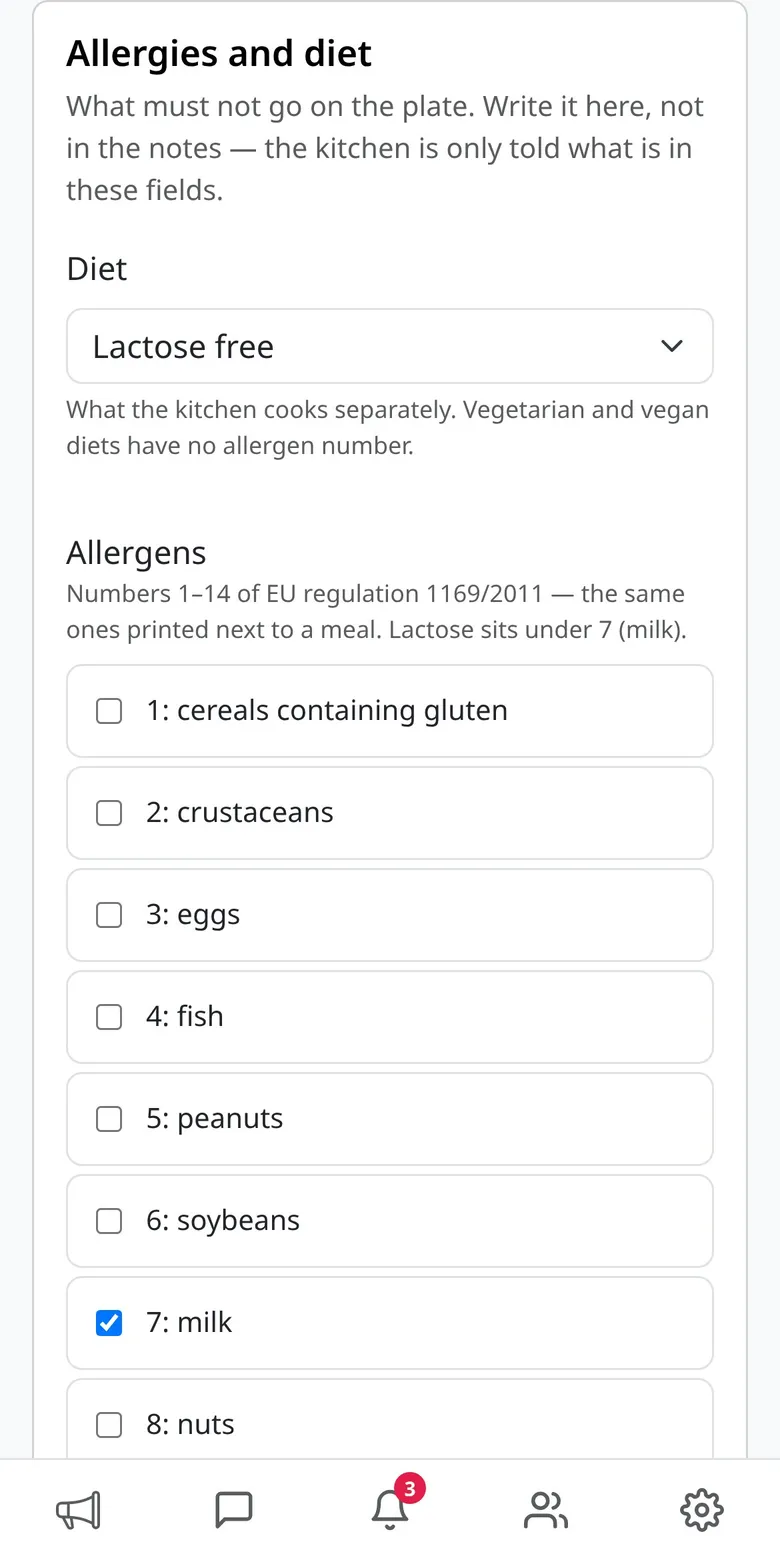
Diet type, the 14 EU allergens and how serious they are. The office confirms the change and teachers see it next to the child.

  • From a preference all the way to anaphylaxis
  • A note for the kitchen and the teachers
  • You can see whether the change has been confirmed
A child's diet and allergen profile
05

Announcements and messages, no group chats

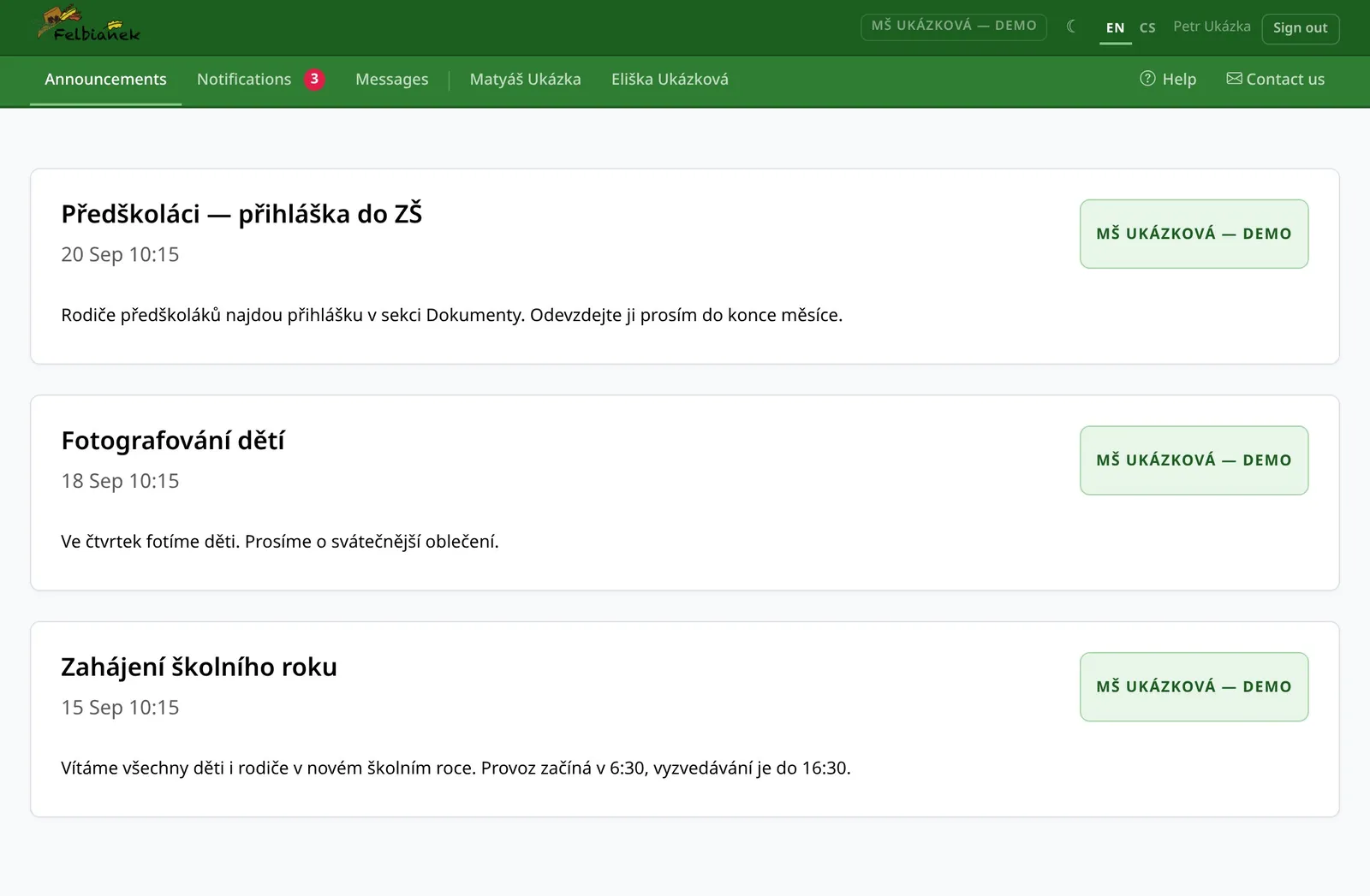
You get announcements with attachments and photos only when they concern you. You message teachers directly.

  • Announcements for everyone, one class or preschoolers
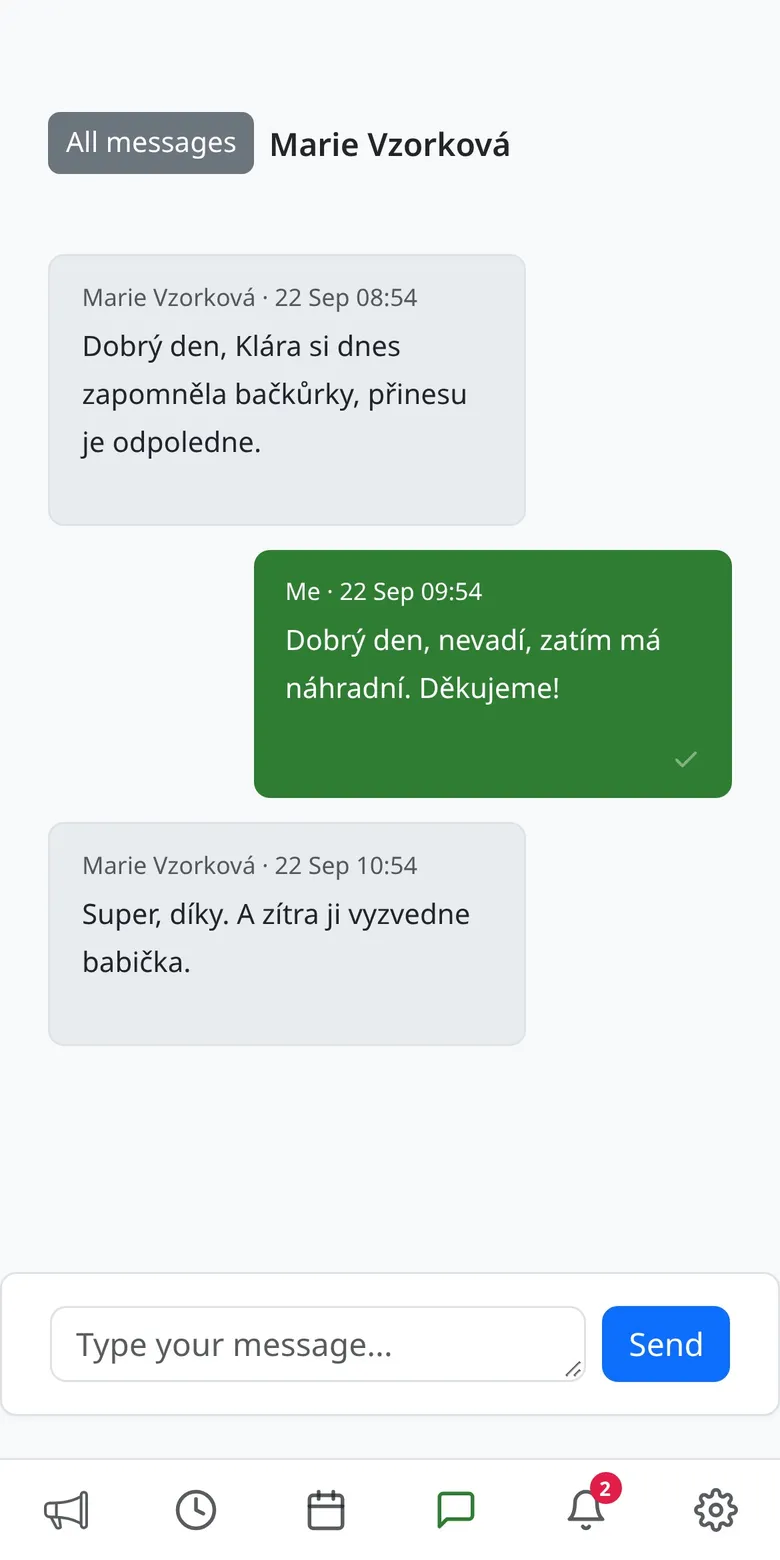
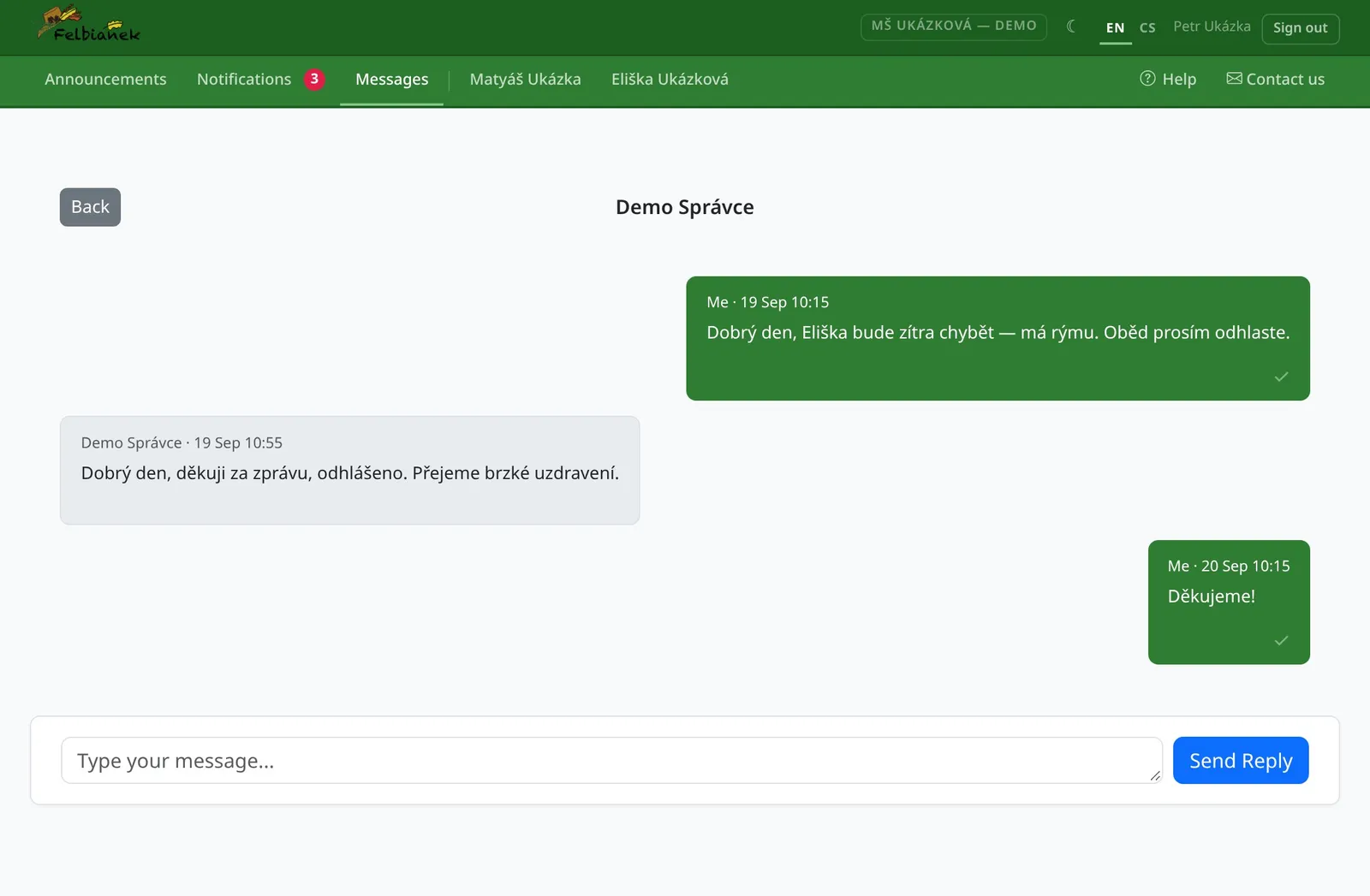
  • Conversations with teachers and the office in one place
  • Documents both ways — applications, certificates, medical notes
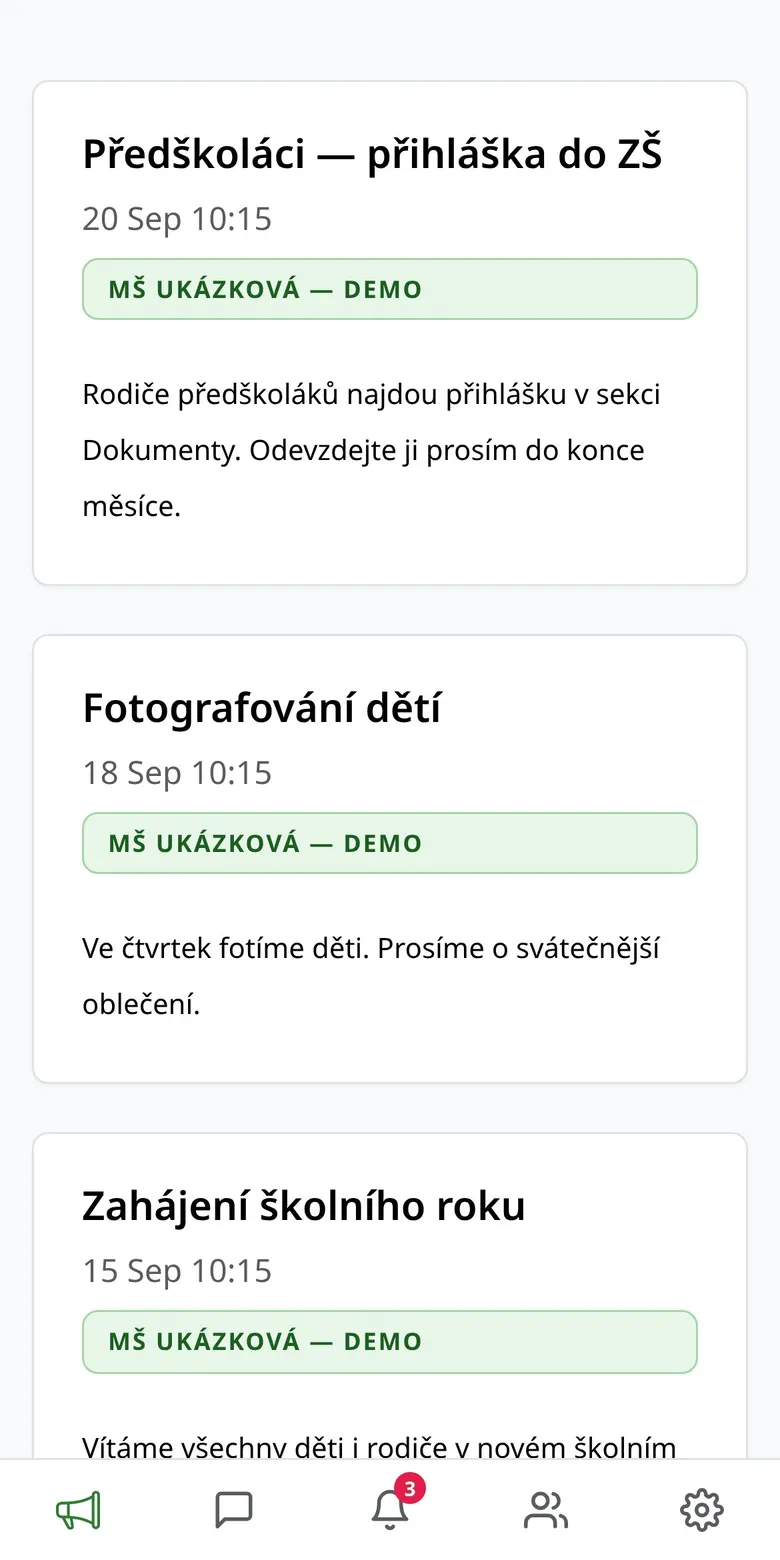
Announcements for parents
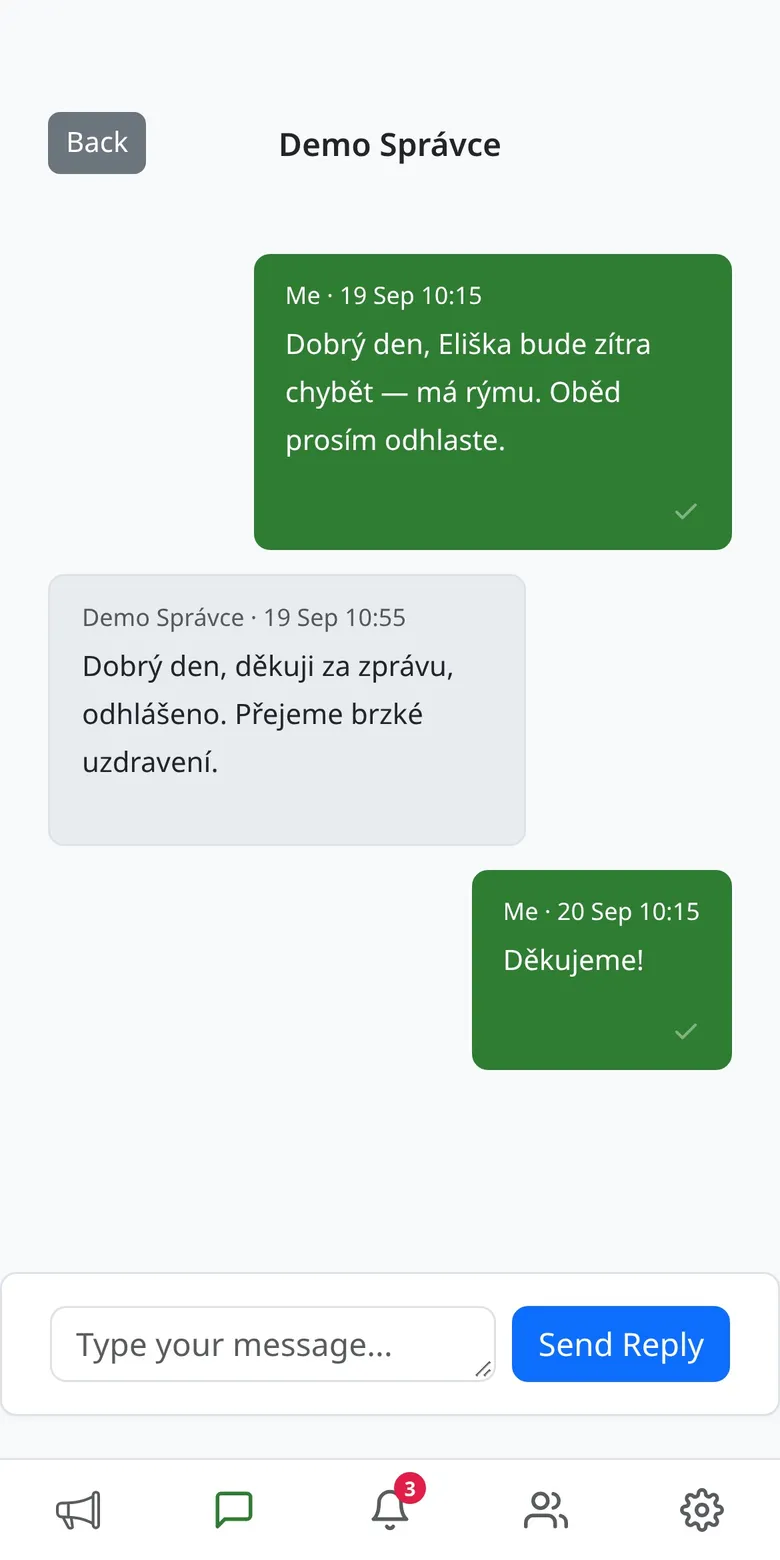
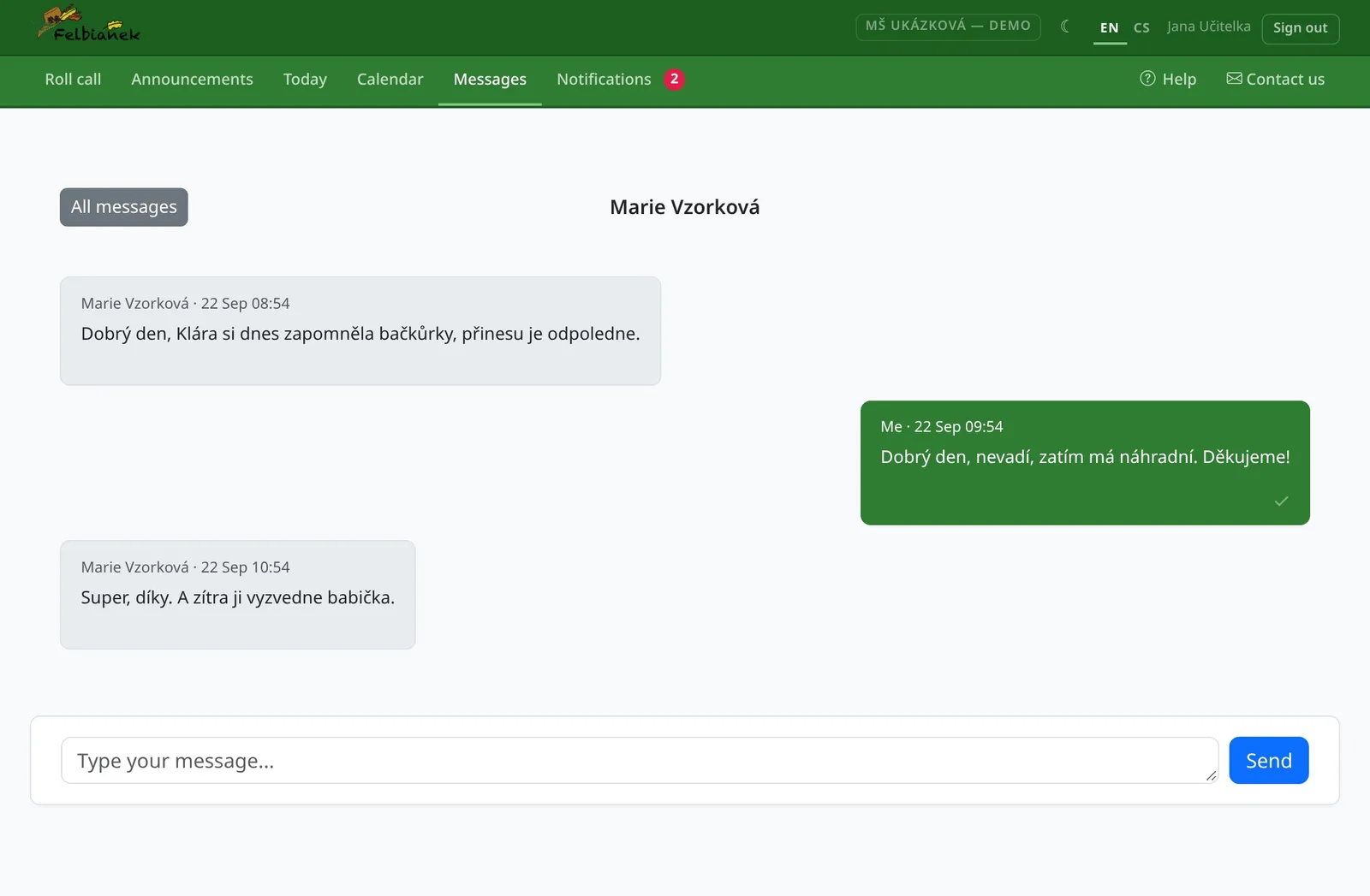
A parent's conversation with a teacher

For teachers

Open your phone in the morning and know what the day holds.

Teachers spend their time with children, not with notebooks and spreadsheets. The app does the paperwork.

01

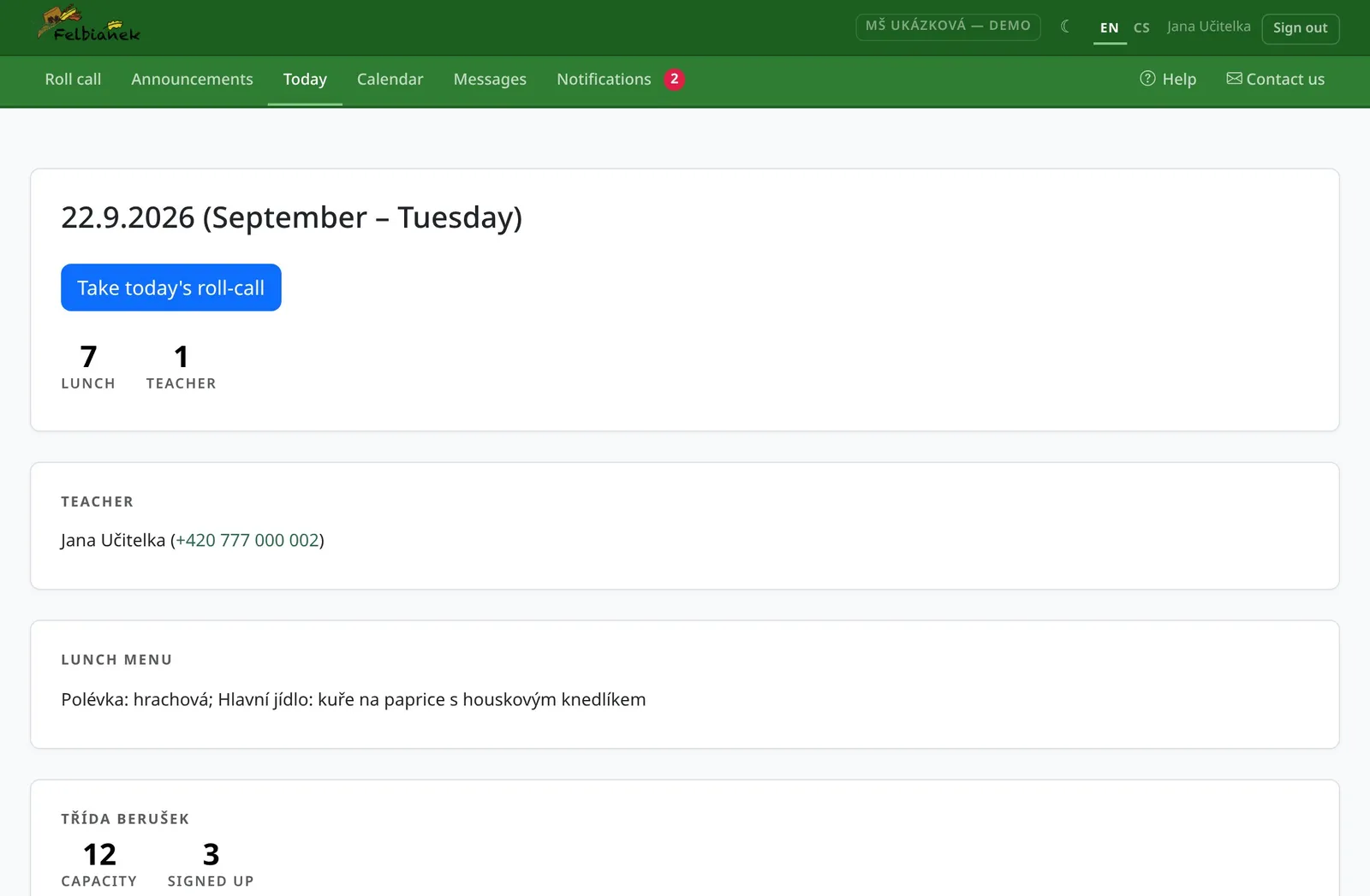
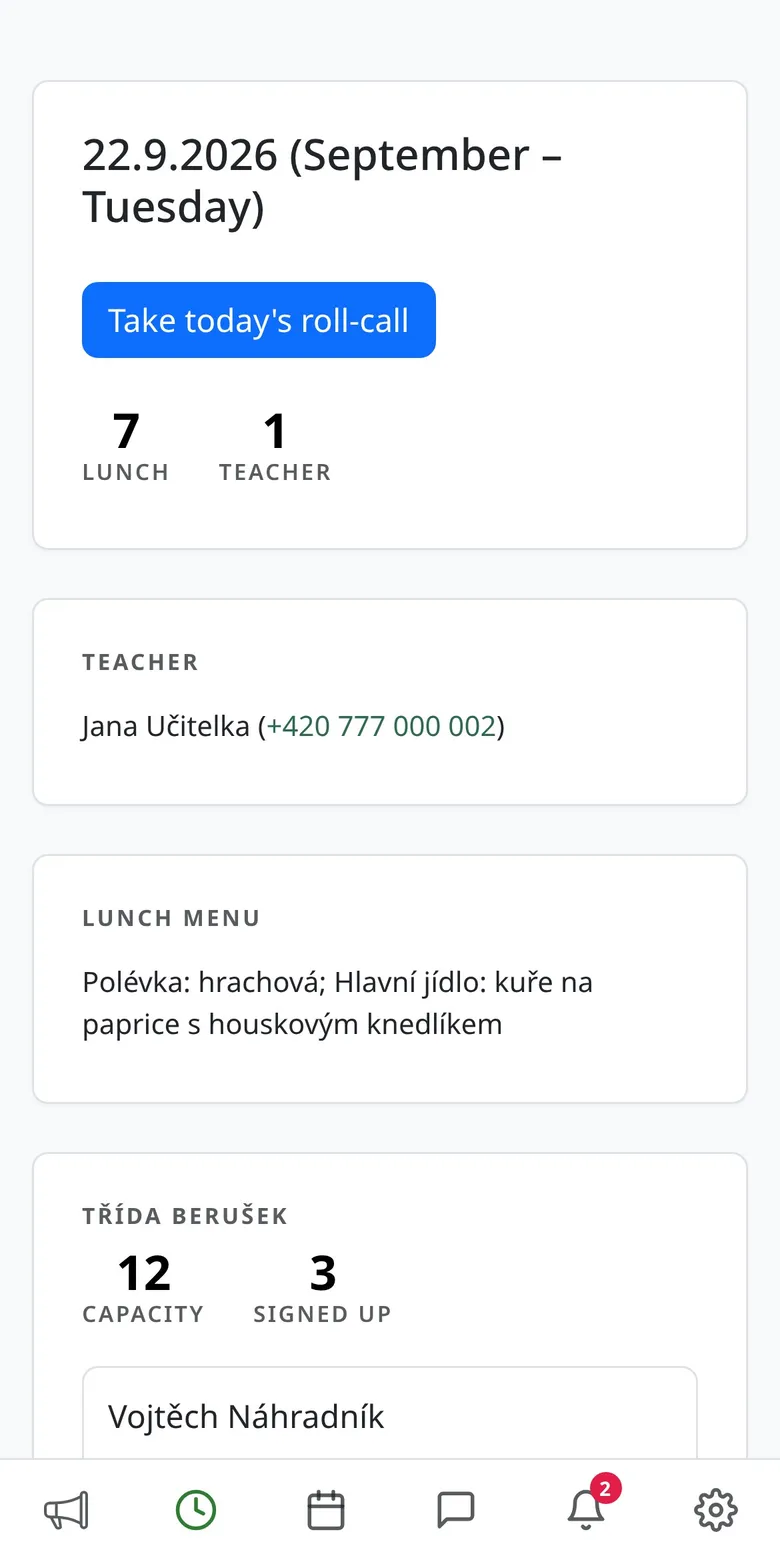
Today in one overview

How many children are coming, how many lunches, who's on duty and what's cooking. Parents' contacts next to every child.

  • Children and lunches counted per class
  • Teachers on duty according to the rota
  • Diets and allergies right next to the child's name
Today's overview for a teacher
02

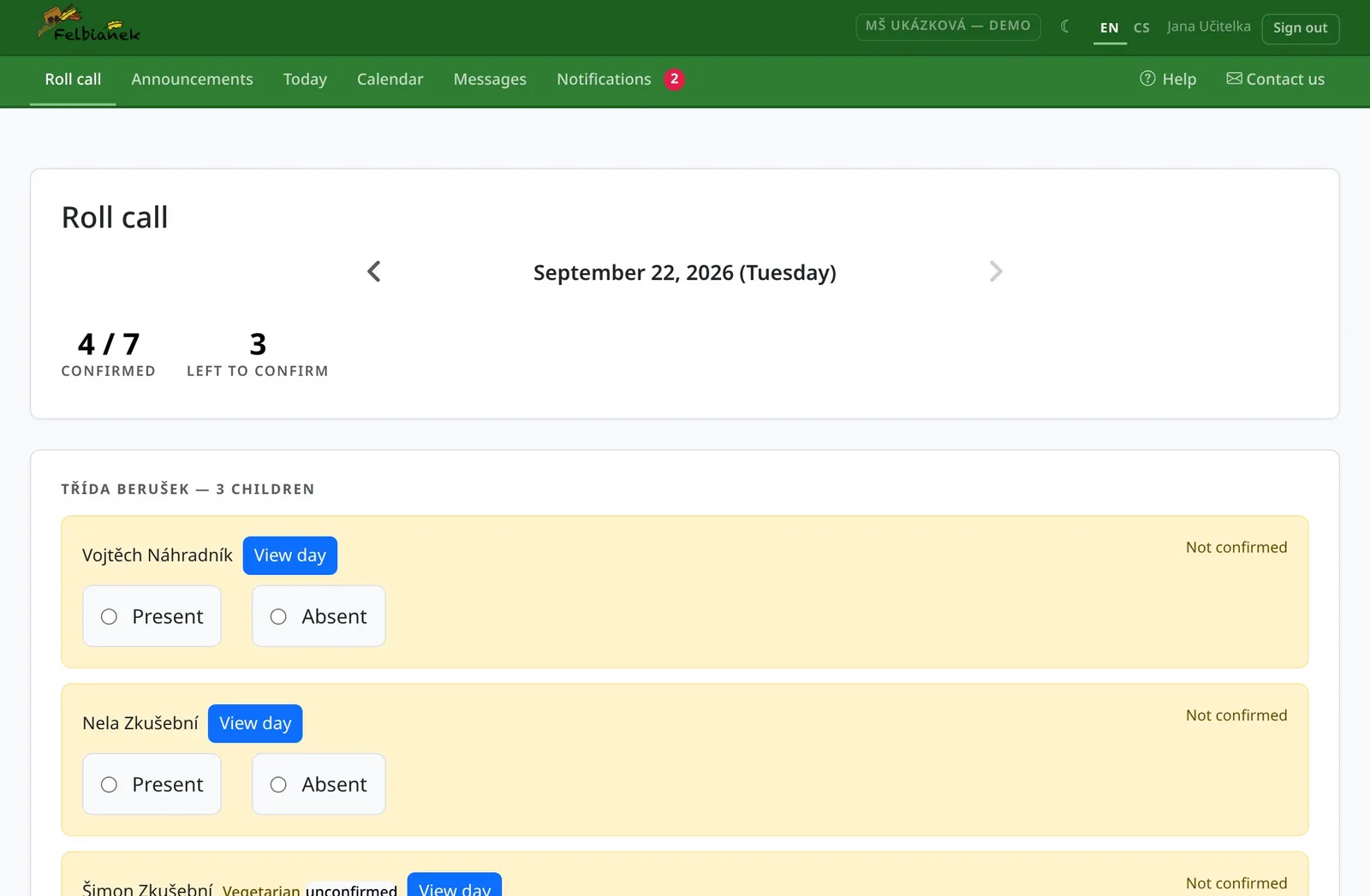
Attendance in seconds

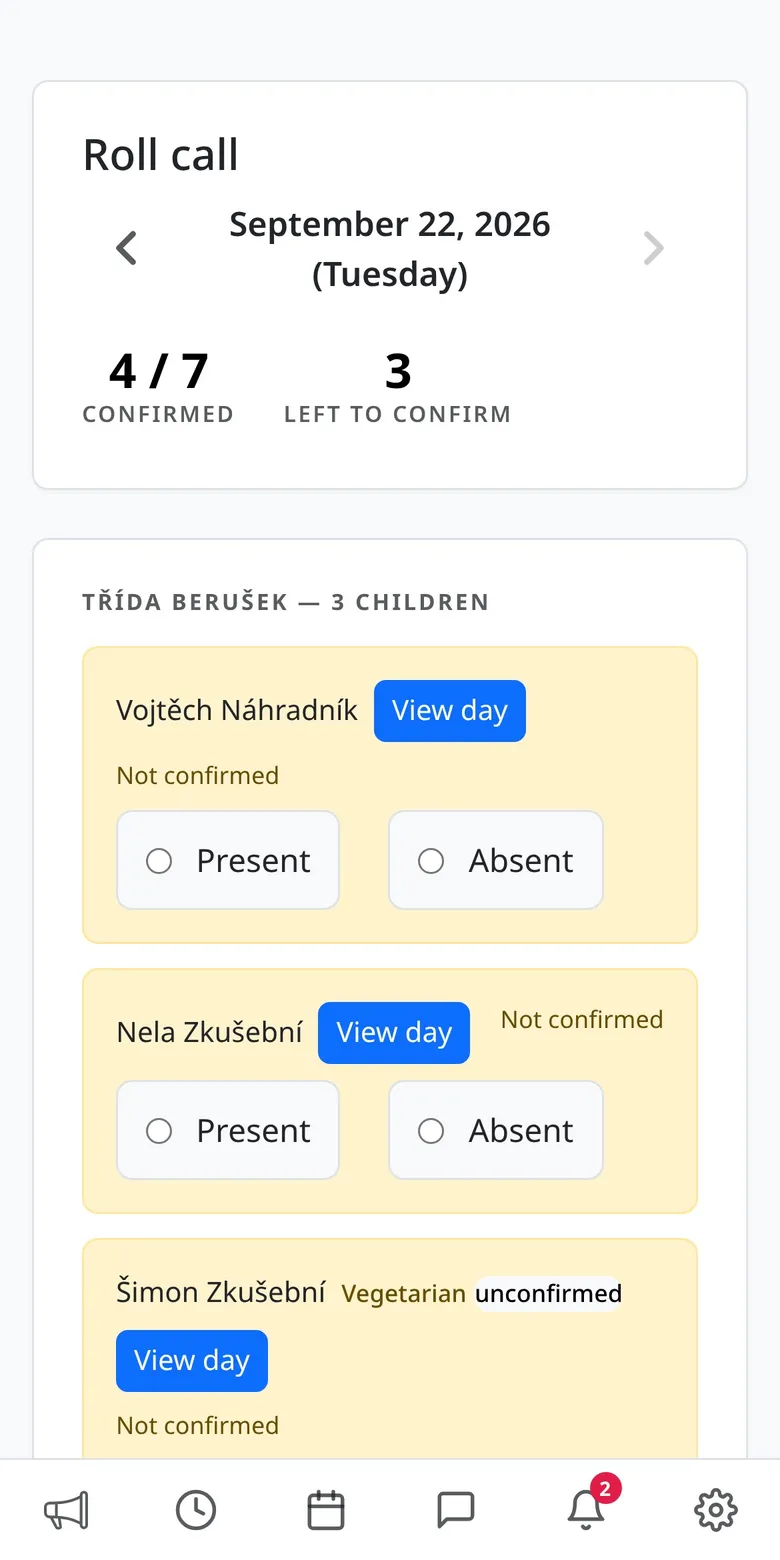
Present or absent — with a reason for the absence. You can see straight away whom the parents have excused.

  • Live progress: how many confirmed, how many left
  • Who confirmed attendance, and when
  • No copying from a notebook into a computer
Morning attendance by class
03

Duty rota and cover

Your shifts and your colleagues', events, breaks and expected children for every day. Covering for a colleague takes a single tap.

  • The whole month at a glance
  • Day detail with expected children per class
  • Take over or hand back a shift right from the calendar
A teacher's duty calendar
Day detail with shifts and child counts
04

An announcement to parents in a minute

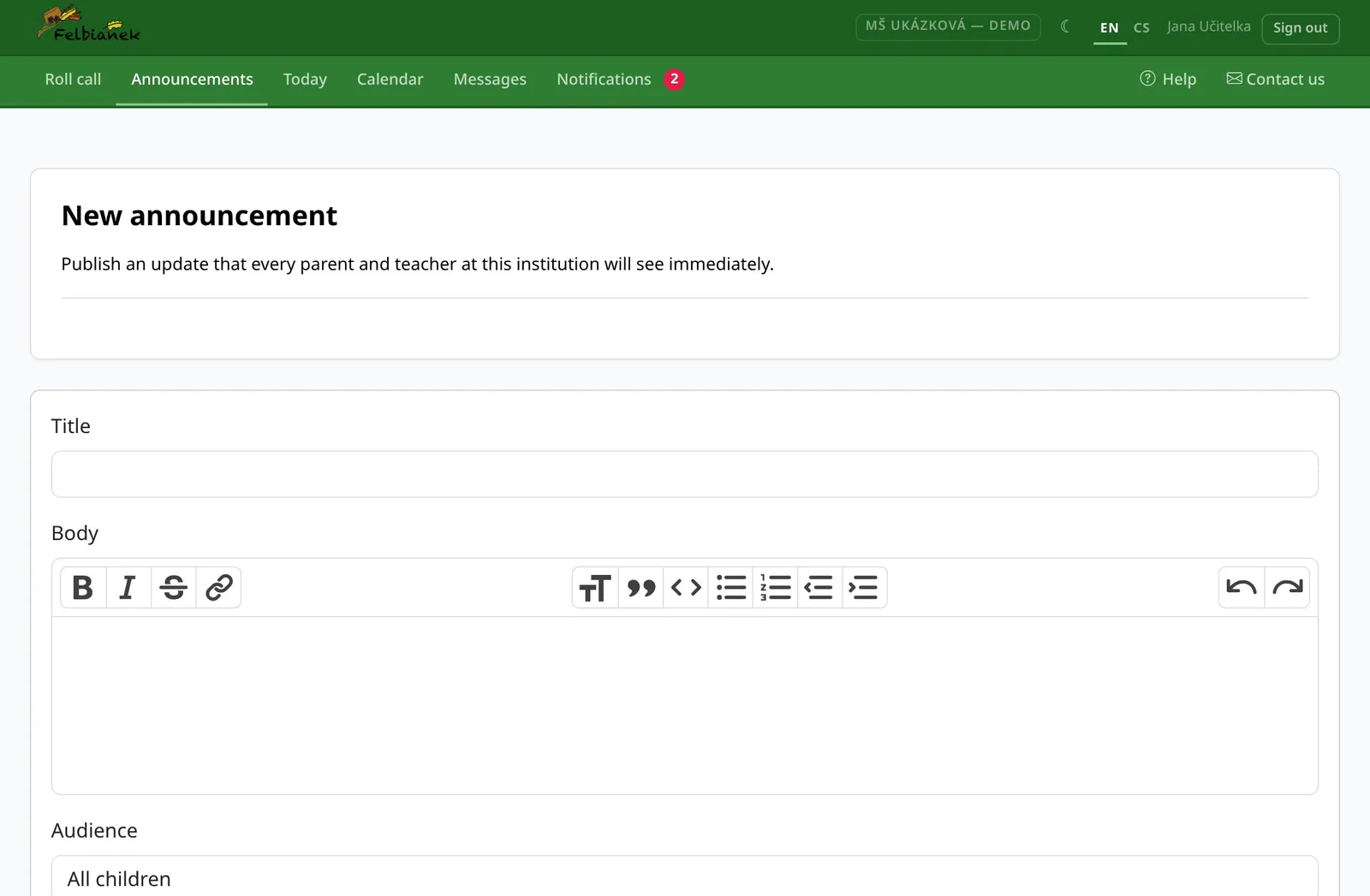
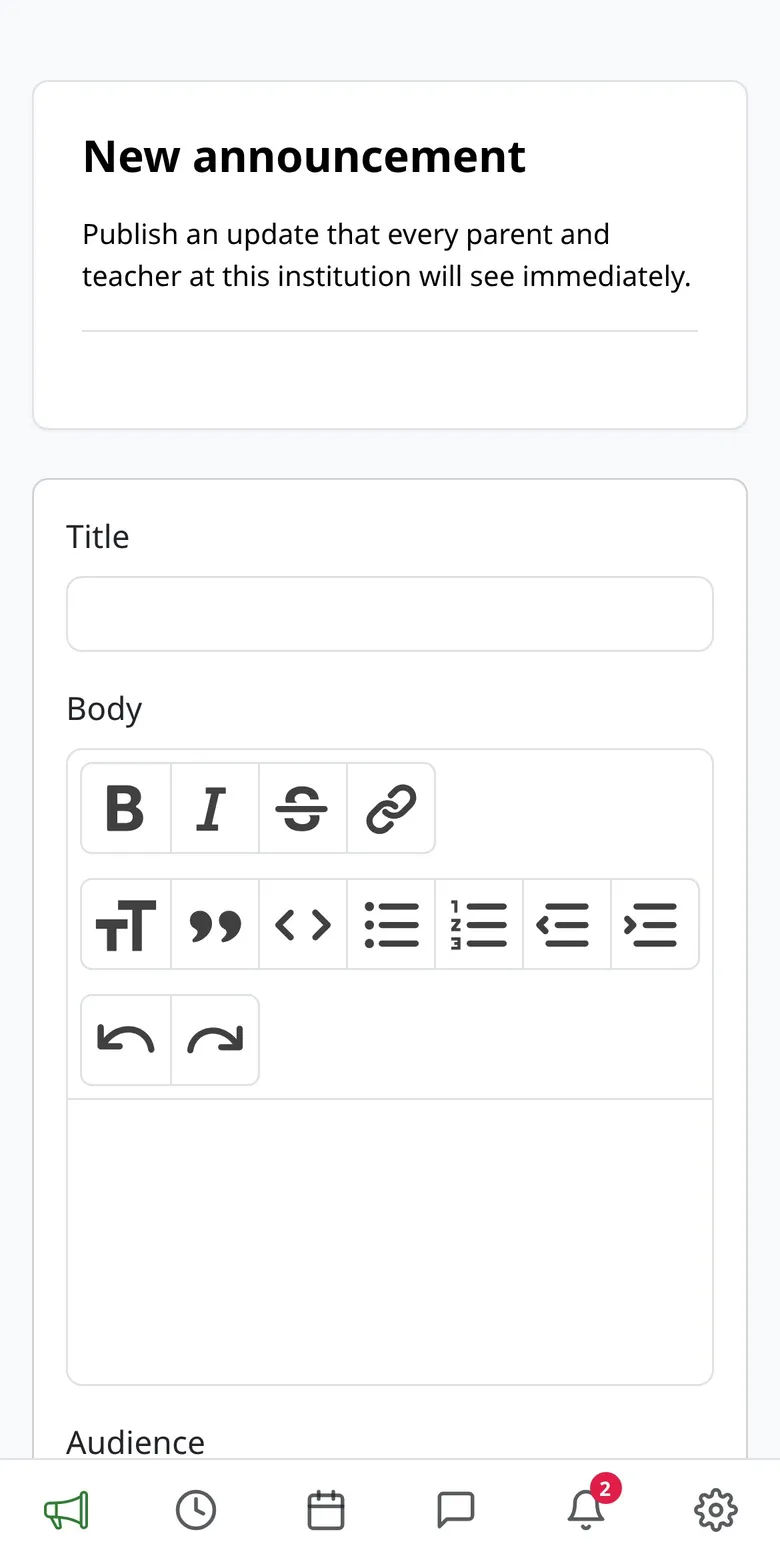
Write the text, add photos or an attachment and choose who it's for. Parents get a notification on their phone.

  • Everyone, preschoolers or a single class
  • Formatted text, attachments and photo galleries
  • No more notice boards nobody reads
Writing a new announcement
05

Messages with parents, no private number

Find parents and colleagues by name. The conversation stays professional — not on your personal phone.

  • Conversations with parents and within the team
  • Unread messages at a glance
  • A notification for every new message
A teacher's conversation with a parent

Mobile app

Kindergarten and school in your pocket

The same account on the web and in the app. The app also notifies you the moment something you care about happens.

  • A new message or announcement
  • A place opened up on a full day you're watching
  • A payment is coming due
  • The office confirmed a diet change
GET IT ON Google Play Download on the App Store Coming soon
Scan with your phone to get the app

On an iPhone? The app is on its way. Until then, open Můj Felbiánek in Safari — it works the same.

Notifications in the app
A child's calendar with colour-coded days
Morning attendance by class

Gallery

Take a closer look

Real screens from a demo kindergarten. All names of children and parents are made up.

Security and privacy

Children's data belongs somewhere safe

Each kindergarten and school sees only its own data

They are kept apart. Nobody sees another kindergarten's or school's children or payments.

Parents see only their own children

Only guardians invited by the office get access. Everyone has their own account and password.

Sensitive data is encrypted

Birth numbers, health notes, absence reasons and messages are stored encrypted.

For kindergarten and school management

What about management?

Management has its own administration where the kindergarten or school is set up and run. Rather than describe it, we'd love to show it to you live — drop us a line.

Book a demo

FAQ

What parents ask

My child goes to school, not kindergarten. Is this for me too?

Yes. Kindergartens and schools both use Můj Felbiánek and the app is the same for both — you download this one. A school can also run after-school club through it.

Do I have to install the app?

No. Everything works in a browser on a computer or a phone too. The app adds notifications.

I have an iPhone. What now?

The iOS app is on its way. Until then, open Můj Felbiánek in Safari — it does exactly the same.

How do I get access?

Your kindergarten or school sends you an invitation by e-mail. You just set a password.

One child is at kindergarten, the other at school.

One account and one app are enough. Switch between children, kindergarten and school with a single tap.

Is the app available in English?

Yes. Switch between Czech and English in the settings.